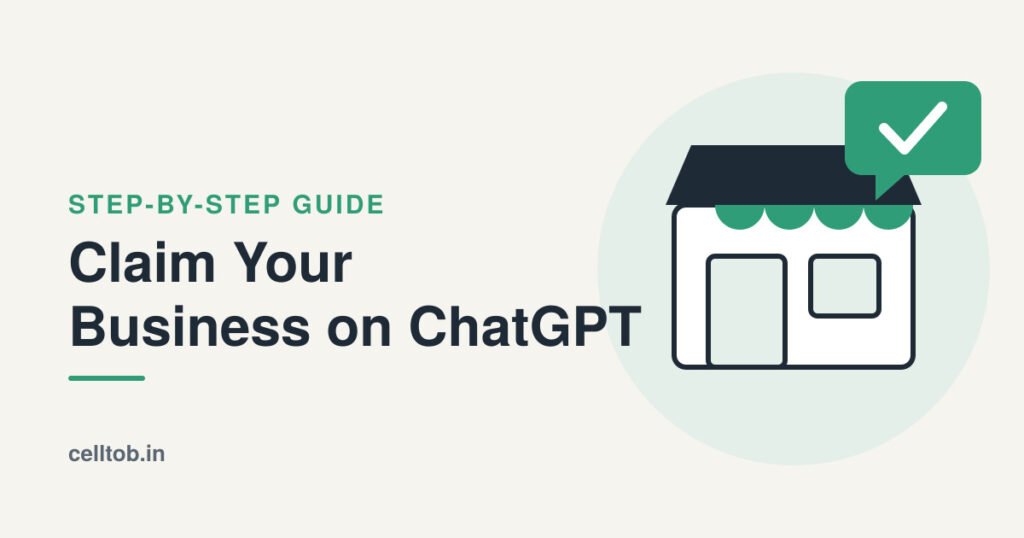
Google Business Profile has been the go-to place for local visibility for years. Now ChatGPT has its own version. On November 10, 2026, OpenAI launched Businesses in ChatGPT, a beta that lets owners claim their business, fix the details people see, and track how often ChatGPT sends visitors to their website. OpenAI says about 1.2 billion people use ChatGPT every week, so early movers get a real head start.
Here is what it is, who can claim, and exactly how to do it.
What Is Businesses in ChatGPT?
The home base is Business Hub, a dashboard built for business owners. It covers three things:
Business profile: When ChatGPT mentions a business in an answer, users can click through to its profile. Claiming it lets the owner correct details and add product feeds with pricing and availability.
Insights: See how often ChatGPT mentions the business and how many people click through to the website.
Business Agent: A labeled chat where customers can ask questions about products or services. At launch, agents are limited to ecommerce and online service businesses in the United States.
Is It Free?
Claiming a profile is free, and publishing a Business Agent is free at launch. According to VentureBeat’s launch coverage, no ChatGPT Enterprise plan or ads account is needed. The only paid option OpenAI describes is sponsoring an agent as a landing spot for ChatGPT Ads.
Who Can Claim?
Any owner or authorized representative of an eligible business can apply, as long as ChatGPT and the required verification are available in their market. Based on launch reporting:
• Online business with a website: can claim a profile wherever ChatGPT is available.
• Local store or restaurant: can claim an existing listing, United States only for now.
• US ecommerce or online service business: can claim a profile and apply for a Business Agent.
• Shopify merchants: can connect the store to speed up verification.
• Multi-location brands: each location is claimed separately.
How to Claim Your Business on ChatGPT
1. Open Business Hub
Sign in to ChatGPT and open Business Hub from the sidebar. Always use OpenAI’s own pages, not a third-party link.
2. Search for your business
Type the business name and pick it from the suggestions. If it is not listed, type it in manually.
3. Choose the admin account
Select the ChatGPT account that will manage the profile. Use an account the company controls, not a personal one.
4. Verify ownership
OpenAI can confirm a claim through a business phone number, email address, website domain or Shopify account. For domain verification, Business Hub gives a DNS TXT record to add, named openai-business-claim, with a token value that expires after about 24 hours. Many DNS providers add the root domain automatically, so enter only the prefix if yours does. Paste the value exactly, including the openai-business-claim= part.
5. Keep documents ready
Some claims need extra checks, such as a government ID, business registration details and proof of authority. The name, address and any registration number must match official records.
6. Update the profile
Once verified, fix any wrong details and add product feeds with prices and availability.
7. Check website access
OpenAI crawls the website saved on the profile. Make sure the site is accessible and up to date.
Does Claiming Boost Rankings?
No. OpenAI’s FAQ says claiming does not guarantee higher placement or sales. What it gives is control over how the business is described, plus data on mentions and clicks. Think of it as fixing the foundation, not buying a shortcut.
Will It Beat Google Business Profile?
It is too early to say. The program is two days old and still in beta. The two also do different jobs: Google Business Profile powers maps and search results, while a ChatGPT profile shows up when someone asks an AI assistant for recommendations. As more people shop and compare inside ChatGPT, that second channel will matter more. The smart move is not to pick a side. Keep both profiles accurate.
Quick Checklist
• Ask ChatGPT about the business and note anything wrong.
• Claim and verify the profile in Business Hub.
• Keep the name, address and phone number identical everywhere.
• Keep the website crawlable, clear and current.
• Keep Google Business Profile updated too.
• Check mentions and clicks regularly once insights go live.
ChatGPT is becoming a place where customers discover and compare businesses, and owners now have an official way to show up correctly. It takes minutes, costs nothing, and puts accurate information in front of a very large audience. Claim it now, before competitors do. Keep following Celltob for more simple, practical guides on AI search and digital visibility as Businesses in ChatGPT grows.
FAQ
1. What is Businesses in ChatGPT? It’s a beta launched by OpenAI on November 10. Businesses can now claim their profile in ChatGPT, update their details, add product feeds, and see how often ChatGPT mentions them.
2. How do you claim your business on ChatGPT? Sign in to ChatGPT, open Business Hub, search for your business and verify ownership. Verification can be by phone, email, a DNS record, or a Shopify connection.
3. Is claiming a business on ChatGPT free? Yes. Claiming a profile is free, and so are business agents at launch. The only paid option described is sponsoring a Business Agent through ChatGPT Ads.
4. Who can claim a business profile? Any eligible business located where ChatGPT is available can claim their business through Business Hub. The person applying must be the owner or an authorized representative.
5. Do you need a website to claim a profile? The claim is initially open to businesses that have a website. Local stores and restaurants are handled differently. They can claim an existing listing, United States only for now.
6. What documents may be needed for verification? Some claims need a government-issued ID, business registration details and proof of authority. The name, address, and any registration or tax number must match official records.
7. Does claiming a profile improve ChatGPT rankings? No. OpenAI’s FAQ says claiming does not guarantee higher placement or sales. The benefit is accurate details and visibility into mentions and clicks.
8. What is a Business Agent? It is an AI assistant customers can chat with. At launch, eligible US e-commerce and online service businesses can build one.
9. Can businesses outside the US, including India, claim a profile? Online businesses outside the US may claim or add a profile where ChatGPT and the required verification are supported. Business Agents are not available outside the US at launch.
10. Will ChatGPT replace Google Business Profile? It’s too early to say. The program is in beta and only days old. The two serve different needs: Google Business Profile powers maps and search, while a ChatGPT profile appears when people ask an AI assistant for recommendations. Keeping both accurate is the safest approach.
Sources: OpenAI: Introducing Businesses in ChatGPT · VentureBeat · Technology.org · DEV Community